Autoforex - author's trading robot / adviser Scanner Bot Martin
Advisor features:
- the adviser sets the support / resistance levels and places a series of orders, gradually increasing the volume of transactions (NOT MARTINGALE!)
- trading goes off the levels
- in order to determine trend reversals and give signals for placing orders, the EA has a special filter. See the settings description.
- There is a custom deposit protection. That is, in the settings you can specify in% of the deposit, allowable losses. For example, if the Risk value is 50%, then with a loss of more than half the deposit, trading automatically stops.
- there is a spread protection. It happens that a broker, for example at night, decides to earn extra money and increase the spread. As soon as he does this, the robot will display a message and stop the trade.
- multi-currency adviser. This means that it can simultaneously trade on any number of currency pairs.
- this expert can trade without stop loss and take profit (more profitable mode). By default, TP = 0 and SL = 0. In this mode, profit taking occurs at signal levels (yellow lines).
- The adviser has a built-in error handling unit. Any trading problems are displayed in the form of alerts. You will always be informed about the state of the robot and trade.
- There is an informer that displays statistics and various information.
- there are buttons that close unnecessary orders on the selected chart.
- when the adviser makes a profit, you can hear a pleasant ringing of coins.
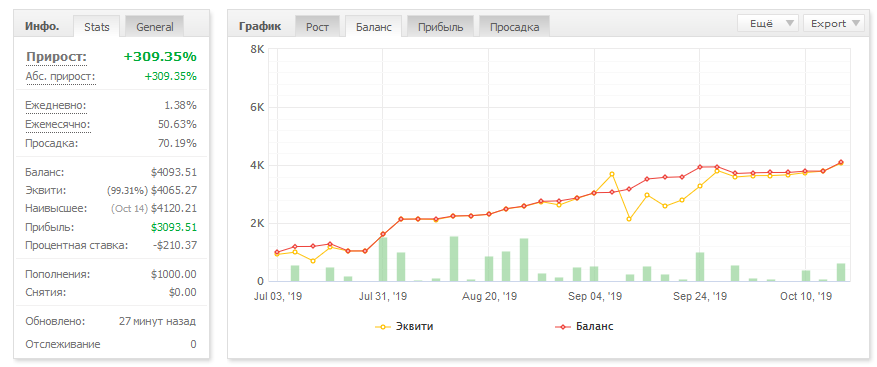
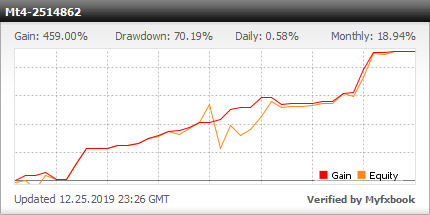
Here is monitoring from MyFXbook, a trading advisor for Scanner Bot Martin. Information is updated every 30 minutes if the adviser is enabled. For detailed reports, see the end of this article.
You can click on the widget to see more detailed information on the MyFXbook website:
In the video below, the Scanner Bot Martin advisor - overclocking a deposit with one hundred dollars:

Conditions :
- open a series of orders to hang up from the levels (yellow lines)
- the number of orders in the series is set in the settings
- trade without stop loss and take profit, closing by levels
- each subsequent order increases the lot by a specified factor
- simplify the configuration of the adviser as much as possible
- protect the deposit from draining
Before testing the adviser in the strategy tester, let's see the settings:

Lot - lot of the very first order
Martin_step - multiplier for martingale. Here is the following pattern (see table below). If Martin_step is less than one, the volume of trade with each subsequent order will decrease. With a value of multiplier = one, the lot will be unchanged for all orders. The value of Martin_step is greater than one, the lot is increasing.

History - the number of candles for setting levels.
Filtr - parameter in the adviser for determining price pivot points.
Series - the allowed number of orders in one Buy or Sell series.
Risk - drawdown in% (deposit protection).
Max_spred - spread protection.
Slipage - slippage.
Line_Point - draw / not draw lines on graphs. It turns off during optimization, so that the process goes faster.
Col ... - color settings
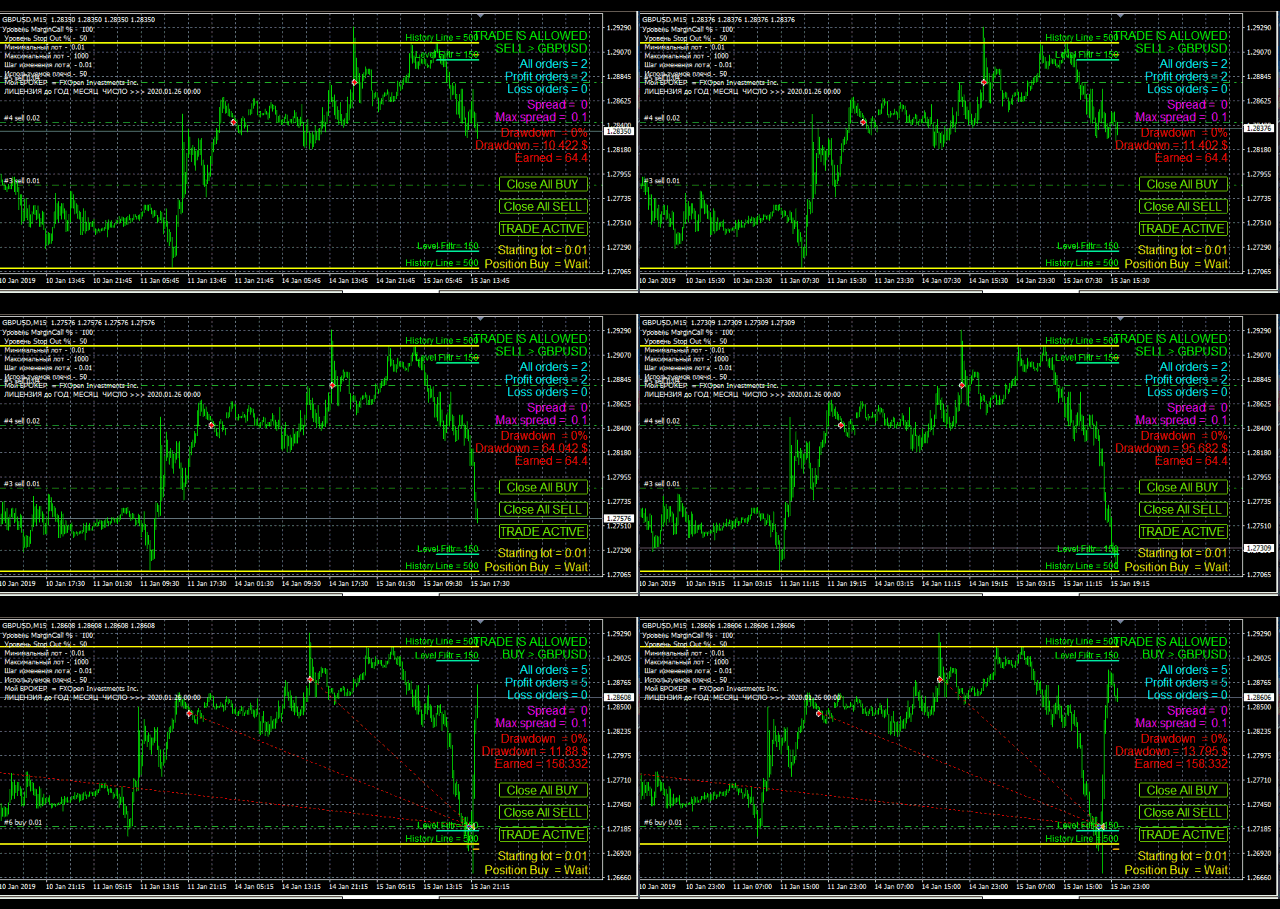
On graphs, Scanner Bot Martin looks like this.
In the first figure, for a given trading strategy, the N-th number of orders opens, with a given increasing lot for each. A series of orders can be limited in the settings or not. With a shortage of funds, orders will not be opened:

Further, at the moment prescribed in the strategy, all orders are closed and opposite orders are opened. How this all happens, you will see in two video clips below.

Advisor Scanner Bot Martin - multicurrency, trades simultaneously on any number of currency pairs. The only thing to remember is the number of currency pairs and the number of orders in the series should correspond to your deposits. But if you forget about it, there is nothing terrible about it. It’s just that the adviser “zadolivaet” you with alerts with messages about a lack of funds to open new orders.
Watch two videos about the tests and features of the adviser:

How to read the Scanner Bot Martin Expert Advisor informer:

Who needs a demo version - write to niicko33@yahoo.com
Buying an Expert Advisor - write to niicko33@yahoo.com
Complete with a demo and full versions there is an instruction, and I also give advice on all incomprehensible issues!
Details in Russian can be viewed here > https://rabotaem-doma.nethouse.ru/martin
Computer translation